
Library in Finder
Not copies of files.
The library itself.
Your tablet’s library opens in Finder as a drive, beside the others. The folders and documents are the ones on your reMarkable: rename one here and it’s renamed there. Notebooks open as PDFs, books as ordinary files.
The drive starts out read-only. You turn editing on yourself, and only then do changes made in Finder reach the tablet.
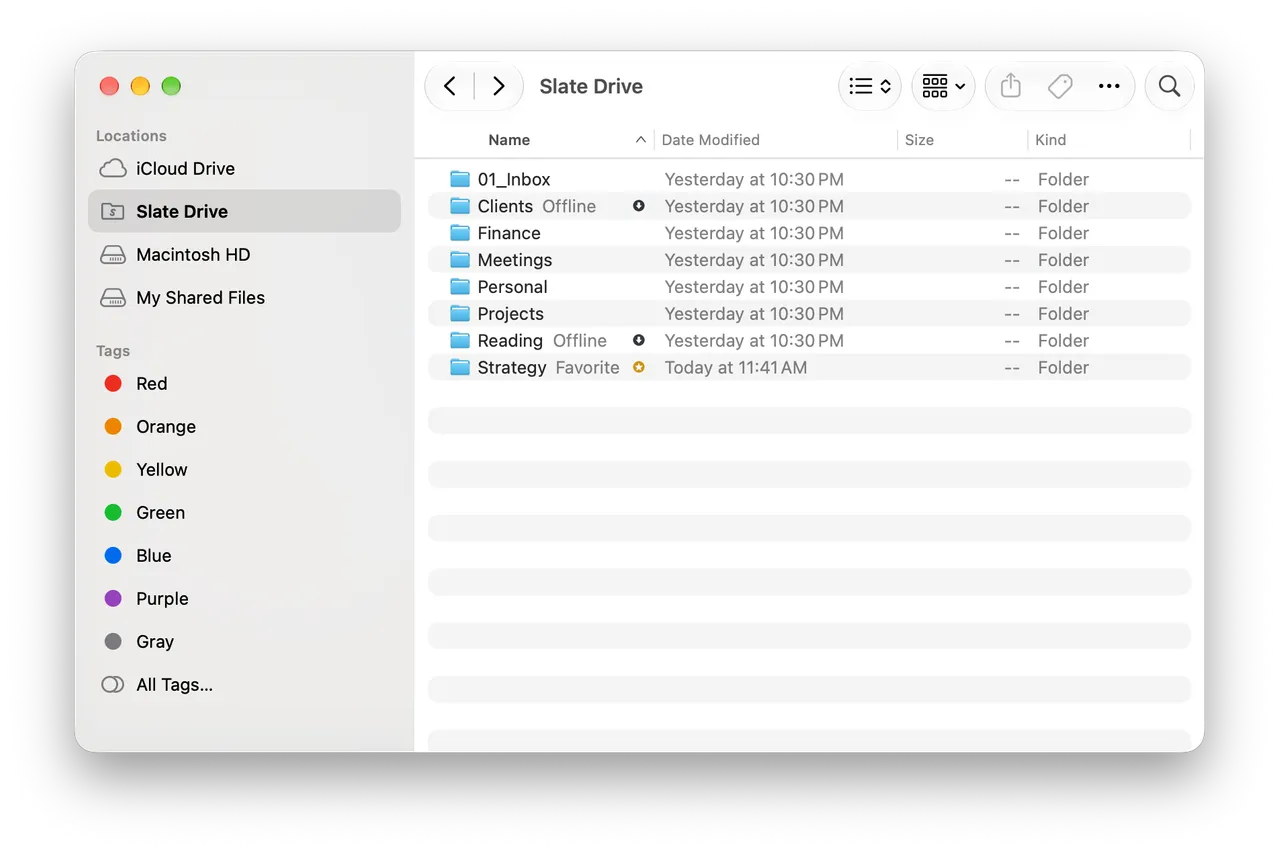
“offline” and “starred” show right in the list
What you see
The tablet as it is
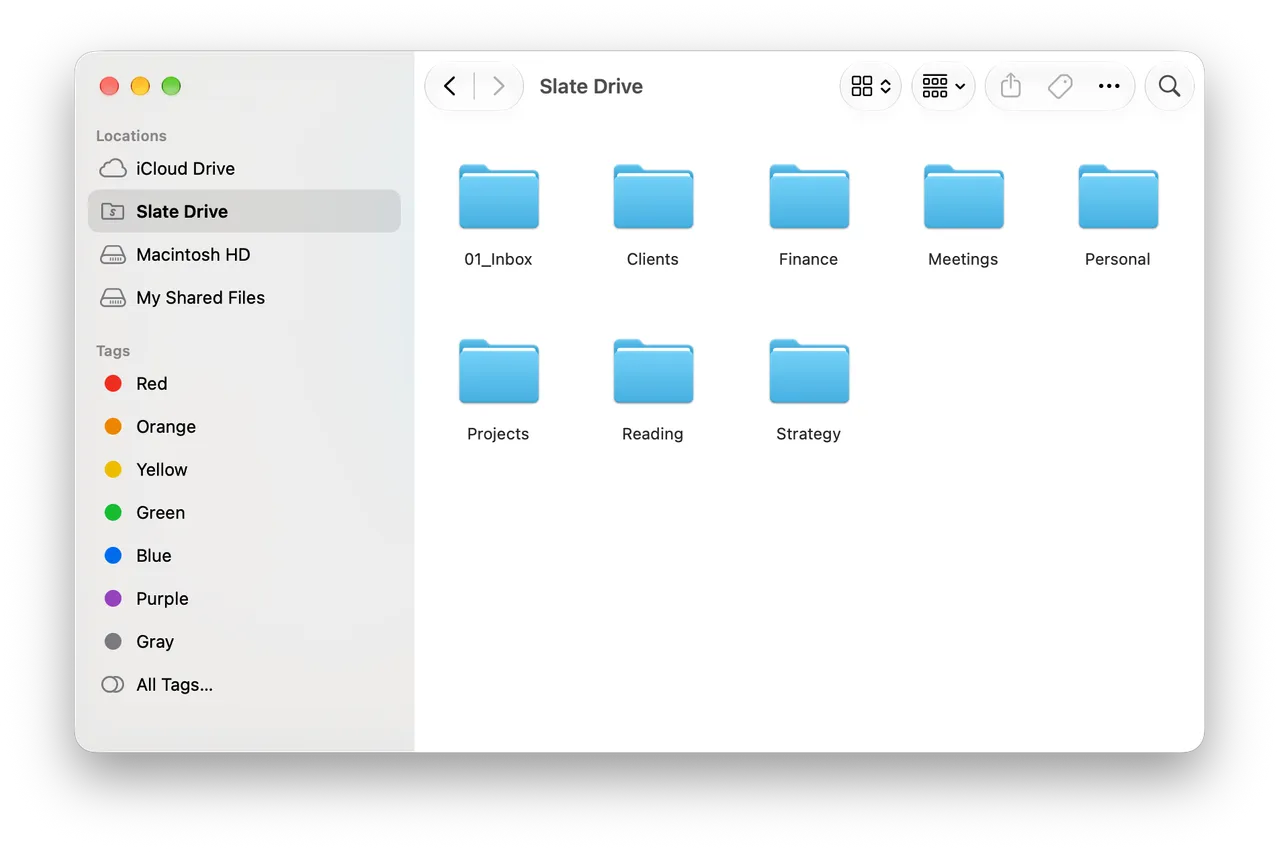
The tablet’s tree, unchanged
The same folders and documents, in the same order. Nothing is rearranged.
Notebooks are PDFs
Pages are drawn on your Mac from the tablet’s strokes. They open in Preview, Quick Look and any reader.
PDFs and EPUBs are untouched
A file you put on the tablet comes back exactly as it was, never rebuilt.
Documents download when opened
The folder list shows up at once; the files themselves arrive when you open them. Disk space is barely touched.
Tablet tags in Finder
Labels from the tablet appear as Finder tags, and in editing mode they’re written back.
Badges
“Kept offline” and “starred” are ordinary badges on files. One more, on the drive itself, warns that the listing hasn’t caught up with the cloud yet.
Reading and editing
Two modes
Read-only
defaultBrowse, open, Quick Look, copy to your own disk. Nothing can be written: in this mode write permissions are never granted at all.
Editing
a switchCreate folders, add files, rename, move, delete and restore. The contents of notebooks never change: the app draws your handwriting, it doesn’t rewrite it.
Deleting means the tablet’s trash
Delete from the drive and the document lands in the tablet’s trash, exactly as if you deleted it on the device, and you can bring it back from there. Turn on “Show the tablet’s trash in Finder’s Trash” and discarded documents appear in the system Trash, with the usual Put Back and Empty. The switch is off by default: emptying the Trash on your Mac would destroy those documents in the cloud for good.
A refusal shows immediately
If an operation can’t go through, you get a notification the same moment.
Offline and disk space
Almost nothing until you ask
Pin it and the file stays on the Mac
A pinned document or folder is downloaded and kept on disk — it opens with no network.
Unpin it and the space comes back
The local copy is removed; the document stays in the library and returns when you open it.
Starred isn’t offline
Similar badges, different meanings: “starred” came from the tablet, “kept offline” is about this Mac’s disk.
The cache has a ceiling
You set the size and can clear it at any time. The disk never fills up behind your back.
If something goes wrong
Conflicts
Conflicts are about names and folders only
The Mac never changes what’s inside a notebook, so only a name and a folder can disagree. If the tablet and the Mac both renamed or moved the same document, the Mac’s version stands, and the log in the panel says what it replaced. A document the tablet moved to the trash is left alone — and that’s written down too.
Problems don’t pile up in silence
Write errors Finder can’t show you, the app reports as a notification.
Sync wakes up on its own
Not only on a timer, but on waking from sleep and when the network comes back.
FAQ
Questions about the library
- Are these copies of my files, or the files themselves?
- The library itself, shown as a drive. The only thing created on the Mac is a notebook’s PDF: on the tablet a notebook is stored as strokes, which the Mac can’t open on its own.
- Can I edit handwriting from the Mac?
- No, and that’s deliberate. Editing mode manages documents — names, folders, the trash — not what’s inside them.
- What happens if I delete a document from the drive?
- In editing mode it goes to the tablet’s trash, just as if you deleted it on the device, and you can restore it there. If you turn the trash on in settings, it lands in Finder’s Trash and comes back with Put Back.
- How much space does it take?
- Almost nothing at first: files download as you open them. Pin a folder for offline use and it takes what it needs; you set the cache ceiling.