
Slate Drive — an app for reMarkable
Your reMarkable library
on your Mac.
Your tablet’s library opens on the Mac as a drive: notebooks become PDFs, and search finds them by what’s written inside. Going the other way, anything you share from any app lands on the tablet — as a PDF sized for its screen or as a handwritten note.
reMarkable subscription required
rM2 · Paper Pure · Paper Pro · Move
Both directions
Tablet to Mac — and Mac to tablet
handwriting included
← To the Mac
The library as a drive
The same folders and documents as on the tablet. Notebooks are already PDFs, books are untouched; rename one here and it’s renamed there.
Search your handwriting
Plain ⌘Space finds a note by what’s in it and opens the document itself.
A backup in your own folder
The whole library as ordinary PDFs and EPUBs, ready for Time Machine.
To the tablet →
From any app
Share, a drag onto the icon, the Shelf, or ⌘P. A web article is stripped of menus and banners right on your Mac.
PDFs sized for your model
Word, Pages, Markdown, HTML and images are laid out for reMarkable 2, Paper Pure, Paper Pro or Move, with your tags.
A handwritten notebook
Text can arrive as a tablet notebook rather than a file: typed, or written in ballpoint stroke by stroke. The tablet treats it as its own — erase it, add to it, search it.
A common question
How is this different from the official app?
| Feature | OFFICIAL APP | SLATE DRIVE |
|---|---|---|
| Where files live | inside an app window | as a drive in Finder, beside the rest of your files |
| To open a notebook | export it to PDF first | double-click — it’s already a PDF |
| Search | by file name | by content, handwriting included, from ⌘Space |
| To send a file | drag it into the window | Share, drag, the Shelf or ⌘P from any app |
| Text as a handwritten note | no | Word, Markdown or an article arrives as a handwritten notebook you can edit on the tablet |
| A backup on your own disk | no | a folder of PDFs and EPUBs that Time Machine picks up |
Slate Drive adds to the official app rather than replacing it. Our part is what happens to the library on your Mac.
Features
What the app does
Every day
the reason people install it
Library in Finder
Your tablet’s library opens as a drive. Notebooks are already PDFs, books are untouched. Rename one here and it’s renamed there.
Send to tablet
Share, drag, the Shelf or ⌘P from any app. A web article is stripped of clutter right on your Mac, and text can arrive as a notebook — typed or handwritten.
Search in handwriting
Notes turn up in plain ⌘Space — by what’s written in them, not by name. What opens is the document itself, not a copy.
Backup
The whole library in an ordinary folder: PDFs and EPUBs that open anywhere. Time Machine keeps the history.
If you want more
switch them on when you need them
Handwriting recognition
The app reads what you wrote by hand so it can be searched and turned into text. Two engines run on your Mac with no internet; three more are yours to choose.
AI Studio
Transcripts, summaries, whatever a marker covered — on your own key. A rule does it for new notes in a folder by itself, and the result goes to Obsidian, Bear, Zotero or whichever notebook you keep.
MCP access
For people who use Claude Code or Claude Desktop: Claude answers from your notes without anything leaving this Mac.
Integrations
An action’s result goes straight into your own note system: Obsidian, Logseq, Bear, Apple Notes, Zotero, DEVONthink, Readwise or Readwise Reader. Local destinations get the file without it leaving the Mac.
Getting connected
How to start
once, then forget about it
Download it and enter the code
The eight-character code is on your reMarkable account page — the same place the official apps take it from.
The drive appears
The library mounts in Finder beside your other drives and syncs in the background.
Open your notes
Notebooks open as PDFs, books as ordinary files. Handwriting search, AI Studio and the backup can be switched on whenever — or never.
FAQ
Questions worth asking
The ones people ask before installing.
- Is this made by reMarkable?
- No. It’s an independent app, unaffiliated with reMarkable AS. It works with the same cloud the official apps use.
- Do I need a reMarkable subscription?
- Yes, an active subscription is required: the app works through the reMarkable cloud. You pay us nothing — Slate Drive is free.
- Where do I get it, and how does it update?
- Download the DMG from this site — it’s signed and notarized by Apple. The app finds updates itself but installs them only with your permission; while it does, the drive in Finder closes. A Windows version is planned.
- What languages is the interface in?
- Six: English, German, Spanish, French, Dutch and Russian. It follows your system language, and you can change it in settings.
- Is the source open?
- The license is MIT. For now GitHub holds only the builds; we’ll open the source by the end of 2026. Read more →
- What access does connecting give?
- The same as the official app has: a connect code doesn’t work any other way. The app uses it to show your library and apply your changes. Read more →
- Do I need an AI subscription?
- No. For handwriting there are engines that run right on your Mac, free. A key is needed only if you pick a cloud recognition service or a provider’s model — then you pay that provider directly. A summary works without a key too: Apple Intelligence runs on the Mac itself. AI Studio →
- Which tablets are supported?
- reMarkable 2, Paper Pure, Paper Pro and Paper Pro Move. Files you send are laid out for the screen of the model you chose.
- Does the app always live in the menu bar?
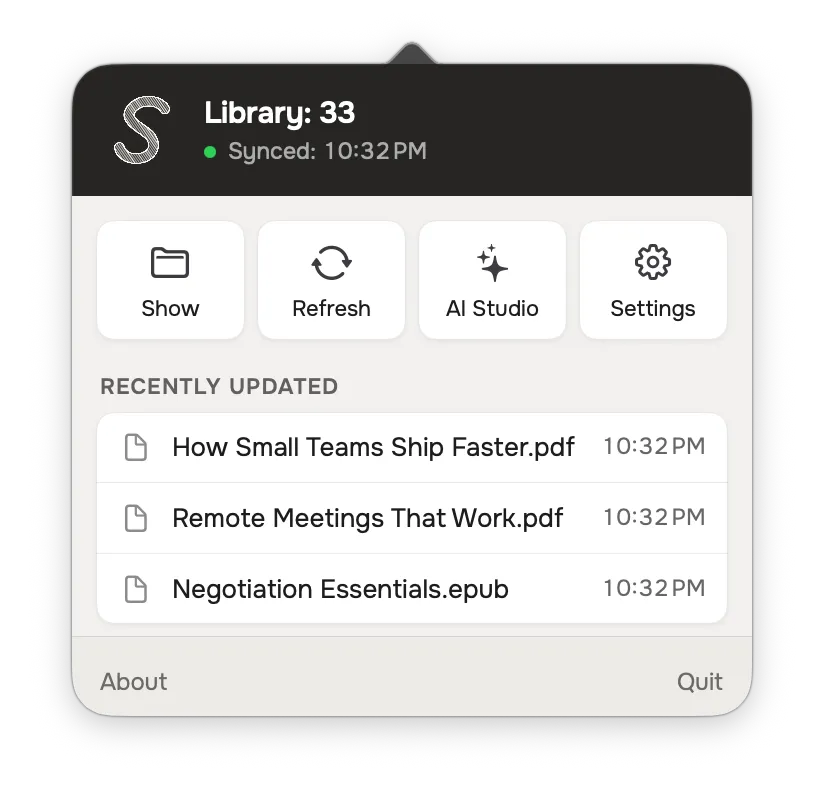
- Yes, by default that’s the only place. A Dock icon and launch at login are settings; without launch at login, the drive appears when you open the app.
Did we miss something? Email us